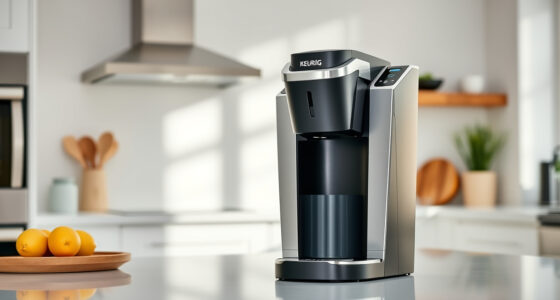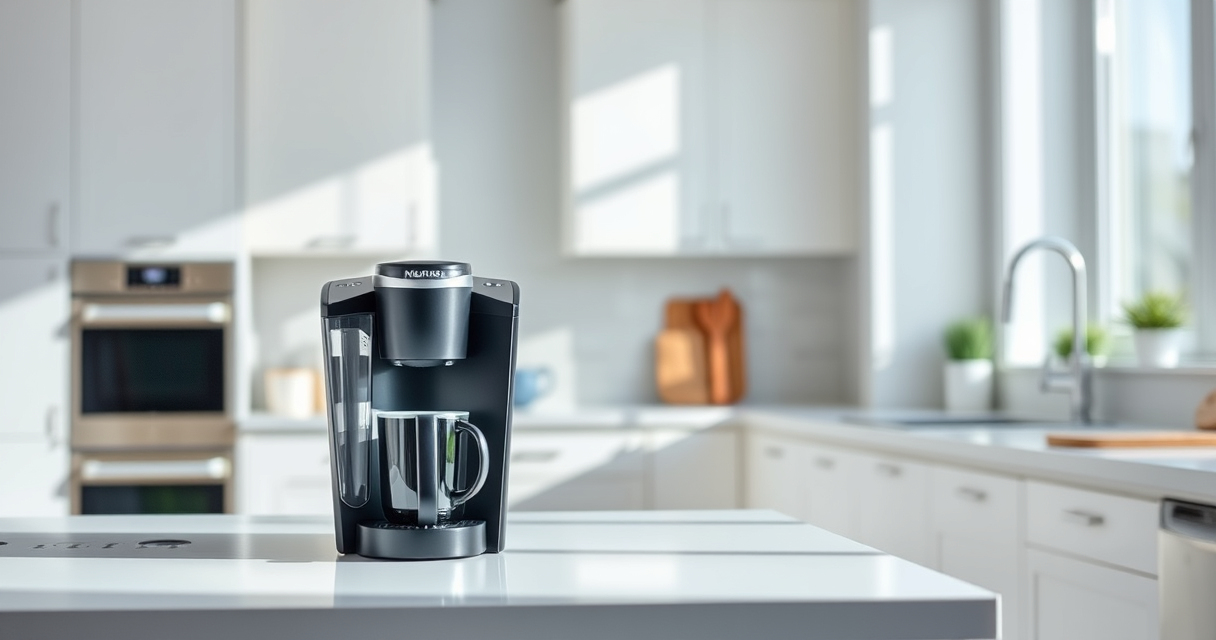

The Keurig K-Mini is a compact, convenient coffee maker perfect for small spaces and quick brews. However, like any appliance, it can encounter common issues over time. This guide provides clear, safe troubleshooting steps and maintenance tips to keep your Keurig functioning optimally in 2026. Whether it’s a clog, temperature problem, or descaling need, you’ll find practical advice to resolve your issues quickly and effectively.

Get coffee and tea gear delivered free with Prime
- Fast, free delivery on millions of items
- Prime Video, Amazon Music and more included
- Member-only deals all year
Regular maintenance is essential for prolonging your Keurig’s lifespan and ensuring the best-tasting coffee. Follow these step-by-step instructions, tips, and warnings to troubleshoot problems and care for your machine efficiently.
Key Takeaways
| Quick Troubleshooting | Identify common issues like clogs and error messages. |
| Regular Descaling | Use descaling solutions every 3 months to prevent mineral buildup. |
| Cleaning & Maintenance | Keep your brew head and water reservoir clean for optimal performance. |
| Safe Handling | Always unplug before cleaning or troubleshooting. |
| Use Quality Accessories | Opt for approved filters like My K-Cup for better brew quality. |
Troubleshooting Common Keurig K-Mini Issues
- Machine Not Brewing: Ensure the water reservoir is filled and properly seated. Check for any clogs in the water inlet or needle. Reset by unplugging for 30 seconds, then plugging back in.
- Error Messages: Refer to your user manual for specific codes. Typically, they indicate issues like water level errors or need for descaling.
- Leaks or Overflow: Examine the drip tray and water reservoir for proper placement. Clear any blockages or scale deposits that may cause overflow.
- Weak Coffee or No Flavor: Clean the brew head and run a descaling cycle. Check the coffee pod for proper placement and quality.
Step-by-Step Descaling Your Keurig K-Mini
- Unplug your Keurig and empty the water reservoir.
- Fill the water reservoir with 16 oz of descaling solution mixed with water, or follow the manufacturer’s instructions for descaling.
- Place a large mug on the drip tray.
- Power on the machine and run a brew cycle without a pod, allowing the descaling solution to pass through.
- Repeat the brew cycle until the reservoir is empty.
- Rinse the reservoir thoroughly, refill with fresh water, and run 2-3 rinse cycles to clear any residual descaling solution.
Cleaning and Maintaining Your Keurig K-Mini
- Clean the removable drip tray and water reservoir weekly with warm, soapy water.
- Wipe the exterior with a damp cloth, avoiding the power cord and control panel.
- Use a cleaning brush to clear out the brew head and needle tips monthly.
- Ensure the water reservoir is always filled with fresh, filtered water for better taste and less mineral buildup.
Tips and Warnings for Safe Keurig Use
- Always unplug the Keurig before cleaning or troubleshooting.
- Never insert objects into the brew head or water inlet to avoid damage.
- Use only descaling solutions approved by Keurig to prevent internal harm.
- Be cautious with hot water and steam during cleaning to prevent burns.
- Replace water filter cartridges regularly to maintain water quality and machine performance.
Recommended Accessories for Better Performance
Consider using the My K-Cup® Reusable Coffee Filter (asin=B0FN6NKZGT) for brewing your own ground coffee. It’s compatible with the Keurig K-Mini and enhances flavor extraction, saving you money and reducing waste.
The Products in This Guide

Keurig K-Mini Single Serve K-Cup Pod Coffee Maker
- ✔ Width: Less than 5 inches
- ✔ Brew Range: 6-12 oz
- ✔ Auto Off: Yes

My K-Cup® Reusable Coffee Filter
- ✔ Material: Plastic
- ✔ Compatibility: K-Mini & more
- ✔ Cleaning: Dishwasher safe
Keurig K-Mini Single Serve K-Cup Pod Coffee Maker
The Keurig K-Mini offers quick, fresh brewing with a sleek design that fits anywhere. Regular care and troubleshooting will ensure long-lasting performance.
Pros:
- Space-saving design
- Fast brew time
- Removable drip tray
- Compatible with reusable filters
Cons:
- Limited water reservoir
- No on/off switch
- Can clog if not cleaned regularly
Best for: Small apartments, dorm rooms, offices needing a quick coffee fix
Not ideal for: Heavy or frequent use in high-volume settings
Bottom line: A compact, reliable coffee maker ideal for small space brewing needs.
My K-Cup® Reusable Coffee Filter
The My K-Cup® Reusable Coffee Filter is an excellent addition for brewing your favorite ground coffee with the Keurig K-Mini. It ensures full flavor extraction and is eco-friendly.
Pros:
- Cost-effective
- Eco-friendly
- Easy to clean
- Compatible with multiple models
Cons:
- Requires regular cleaning
- Initial cost
- May require fine-tuning grind size
Best for: Ground coffee lovers wanting control over flavor
Not ideal for: Those preferring pre-packaged K-Cups
Bottom line: An essential accessory for customizable brewing with your Keurig.
Frequently Asked Questions
Why is my Keurig K-Mini not brewing?
Check if the water reservoir is filled and properly seated. Clean the needle and brew head to remove any clogs. Reset the machine by unplugging it for 30 seconds, then plugging back in.
How often should I descale my Keurig K-Mini?
Descale your Keurig every 3 months or more frequently if you notice slow brewing or strange taste changes. Use a descaling solution for best results.
My Keurig leaks water. What should I do?
Ensure the water reservoir is correctly inserted and the drip tray is in place. Clean any scale buildup or blockages that could cause leaks.
Can I use ground coffee instead of K-Cups?
Yes, with the My K-Cup reusable filter, you can brew your own ground coffee, which offers more control over flavor and reduces waste.
How do I clean the brew head?
Remove and rinse the brew head assembly regularly. Use a small brush to clear out any mineral deposits or coffee grounds that may clog the needle.
Keep Your Keurig K-Mini Brewing Perfectly
With regular troubleshooting, descaling, and cleaning, your Keurig K-Mini can provide you with fresh, delicious coffee every day. Follow these simple steps and tips to maintain your machine’s performance and extend its lifespan, ensuring many more satisfying brews ahead.
Affiliate disclosure: As an Amazon Associate we earn from qualifying purchases. Prices and availability are accurate as of the time of publishing.
Halloween Picks
halloween
As an affiliate, we earn on qualifying purchases.