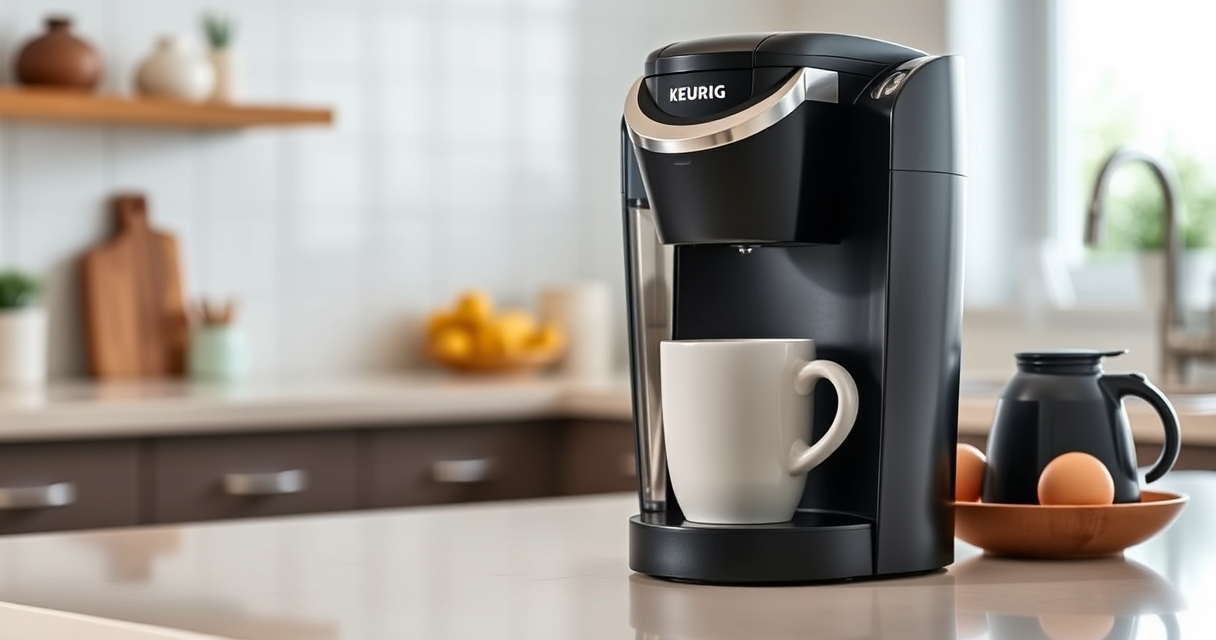

If your Keurig K-Mini Single Serve Coffee Maker isn’t turning on, it can be frustrating, especially when you need your morning brew. Fortunately, most power issues are fixable with some simple troubleshooting steps. This guide provides clear, safe, and effective solutions to get your Keurig back in action.

Get coffee and tea gear delivered free with Prime
- Fast, free delivery on millions of items
- Prime Video, Amazon Music and more included
- Member-only deals all year
Before proceeding, ensure your coffee maker is properly plugged into a working outlet and that the power switch is engaged. If these basic checks don’t solve the problem, follow the detailed steps below.
Key Takeaways
| Power Check | Ensure the unit is plugged in and the outlet supplies power. |
| Reset & Inspect | Reset the machine and check for visible damage or loose parts. |
| Internal Issues | Possible internal component failure if troubleshooting persists. |
| Professional Help | Contact support if the problem remains unresolved. |
1. Verify Power Source and Connection
- Ensure the coffee maker is firmly plugged into a functioning electrical outlet. Try plugging in another device to confirm the outlet works.
- Check the power cord for any visible damage or loose connections. If damaged, avoid using the machine until repaired.
2. Reset the Coffee Maker
- Unplug the Keurig K-Mini from the power outlet.
- Wait at least 30 seconds to allow internal components to reset.
- Plug the unit back in and press the power button to see if it turns on.
3. Inspect for Internal or Mechanical Issues
- Open the water reservoir and check for blockages or debris that might interfere with internal components.
- Look for any signs of damage or burnt smell, which could indicate internal failure.
4. Perform a Hard Reset and Clean
- Unplug the unit and remove the water reservoir.
- Clean the area around the power switch and the water reservoir connection points.
- While unplugged, press and hold the power button for 10 seconds to discharge residual power.
- Reconnect and try powering on again.
5. Seek Professional Repair or Support
If none of the above steps work, the issue may stem from internal electronic components or wiring. Contact Keurig customer support for further assistance or consider professional repair services.
The Products in This Guide

Keurig K-Mini Single Serve K-Cup Pod Coffee Maker
- ✔ Width: Less than 5 inches
- ✔ Brew Size: 6-12 oz
- ✔ Mug Height: Up to 7 inches

My K-Cup® Reusable Coffee Filter
- ✔ Includes: Descaling solution, rinse pods
- ✔ Compatibility: All Keurig models
- ✔ Frequency: Every 3 months
Keurig K-Mini Single Serve K-Cup Pod Coffee Maker
The Keurig K-Mini Single Serve K-Cup Pod Coffee Maker is a highly convenient and space-saving choice for small kitchens or offices. Its simple design makes troubleshooting straightforward, and its features support quick brewing with minimal hassle.
Pros:
- Fits small spaces easily
- Brews 6-12oz cups quickly
- Removable drip tray for travel mugs
- Auto off energy-saving feature
Cons:
- Limited to single serve use
- No on/off switch—power relies on outlet
- May require descaling for optimal performance
Best for: Small spaces, quick and simple coffee brewing
Not ideal for: Heavy use or large volume brewing
Bottom line: A compact, reliable coffee maker ideal for small spaces requiring quick brews.
My K-Cup® Reusable Coffee Filter
The Keurig 3-Month Brewer Maintenance Kit includes descaling solution, rinse pods, and water filter cartridges, helping maintain your brewer’s performance and prolong its lifespan.
Pros:
- Comprehensive cleaning supplies
- Reduces mineral buildup
- Improves coffee flavor
- Easy to use
Cons:
- Requires regular use every 3 months
- Additional cost for replacement filters
- Not a fix for power issues
Best for: Maintaining optimal brewer performance
Not ideal for: Troubleshooting power failures
Bottom line: A must-have kit for regular Keurig maintenance and longevity.
Frequently Asked Questions
Why won’t my Keurig K-Mini turn on?
Common reasons include a faulty power outlet, damaged power cord, or internal electronic issues. Follow the troubleshooting steps to identify and resolve the problem.
How do I reset my Keurig K-Mini?
Unplug the machine, wait 30 seconds, then plug it back in and press the power button. This can often resolve minor electronic glitches.
What should I do if my Keurig still doesn’t turn on after troubleshooting?
Contact Keurig customer support for professional assistance or consider having the unit inspected by a qualified technician.
Can I use my own ground coffee in the Keurig K-Mini?
Yes, with the optional My K-Cup® Reusable Coffee Filter, you can brew your favorite ground coffee directly in your Keurig.
Getting Your Keurig K-Mini Back in Brew Mode
While power issues can be frustrating, most are fixable with simple checks and resets. Always ensure your outlet and cord are in good condition, and perform periodic maintenance to prevent future problems. If issues persist, professional support is your best bet to keep enjoying your favorite hot beverages.
Affiliate disclosure: As an Amazon Associate we earn from qualifying purchases. Prices and availability are accurate as of the time of publishing.
Halloween Picks
halloween
As an affiliate, we earn on qualifying purchases.